Every once in a while you stumble upon a piece of software that, after using it for only a short time, you can't imagine ever living without again. Foldershare is one of those pieces of software for me. I initially downloaded it to be a simple backup method after reading one too many horror stories of "bricked" hard drives, and hearing one too many weird clicks coming from the dark netherregions of my own computer.
Foldershare, at it's simplest, allows you to automatically synchronize specific folders among two or more computers. This overly simple description doesn't begin to touch on ease of mind of always knowing that every change you make to every document is automatically being whisked away and stored safely on another hard drive; far away from the danger of the coffee mug sitting next to your computer just waiting for a chance to tip over and let it's half-caf goodness ooze into your keyboard, and turn your beloved laptop into an awkward paperweight.
OK, so maybe I'm a little bit more paranoid about backing things up than the average bear (I really don't think my coffee mug is out to get me... I drink tea), but my peculiarities are really not the point of this post... I promise. Below you'll see a picture of Foldershare in action... Quietly whisking away every change I make to the Commissioner v. Estate of Bosch file while at school to the safety of my desktop computer at home ("King Ebenezer" is the name of my laptop, named after a song. OFFICE, is predictably, my office computer).
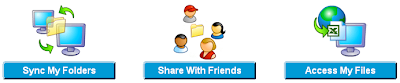
But as the name (FolderSHARE) indicates, file backup is not the main or only purpose. Once this is installed on your home computer you will be able to access any file on your computer, from any computer anywhere in the world (provided that it's turned on). Also, folders can be shared with one or more friends/colleagues.
In spite of my praise for it... Foldershare does leave a bit to be desired. My wishlist includes 1) ability to exclude designated extensions; 2) unlimited libraries (current limit 10); 3) folder hierarchy maintained after delete; 4) automated maintenance of the trash folder (or sending them straight to the recycle bin); and 5) better compatibility when a file is open on both computers at the same time.
Even after I've laid out this wishlist Foldershare is something I would highly recommend to everybody, whether you're on the go alot or not.