


Have you ever wanted to print something when you were away from the printer? For anyone who's ever used a laptop the answer is probably yes. PrinterShare (Formerly PrinterAnywhere) is probably in the top 3 most valuable pieces of productivity software I've found. The ability to print at my house from school (or at the office from the courthouse perhaps) is similar to a DVR; You never realize how much you need it until you have it, and you'll never go without it again. But it's value could go further if you're needs required.
PrinterShare could potentially be a fax replacement since you can print to ANY shared printer, not just your own, and it even comes with a cover page option. However this would require a certain amount of collusion amongst the "sender" and "recipient" since each side would need to have a client installed.
PrinterShare is simple to set up, and when it comes time to print a document remotely, you just choose the shared printer from the regular print options. Because PrinterShare queues print jobs to their server, your computer doesn't even need to be on for PrinterAnywhere to work—it just fires up the job as soon as the application runs.
Oh ya, did I mention it's FREE? They claim to put a watermark/advertisement on the cover page, however there's an option in the preferences to disable cover pages and so I've never seen the proof. In the end there are no watermarks or any other signs that you used the service.
Thursday, April 3, 2008
On-site printing off-site


Wednesday, April 2, 2008
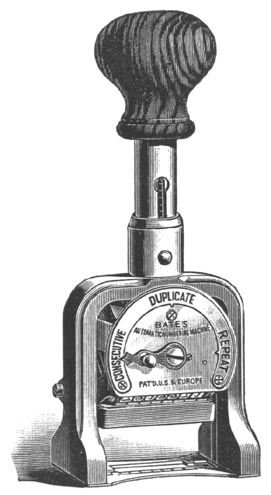
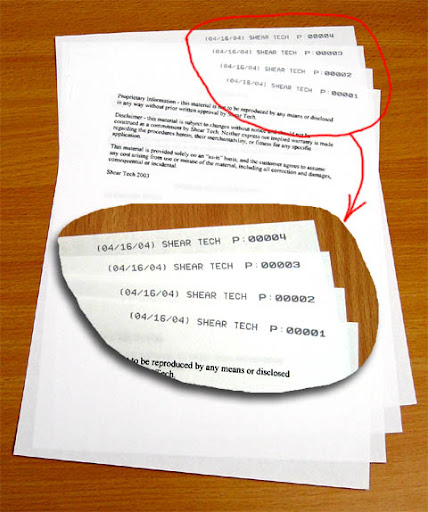
Bates Stamping
Monday, March 10, 2008
Hide Outlook Without Closing


Saturday, February 23, 2008
Using Google Notebook to do Case Research
When I'm doing case research for a brief or memo I usually compile a file full of citations and quotes and add a few notes that I can come back to later to arrange into a coherent form. Google has taken a few steps out of this process with Google Notebook. Google Notebook adds a plug-in to your browser. The plug-in gives you a Open Notebook button in the lower right of your screen 
 and a Note this (Google Notebook) menu item when you right click highlighted text. To add something to you notebook you highlight the relevant text, right click, and select Note this. A small Google Notebook window will open in the bottom right of your browser with you text in a
 new notebook entry. The title of the entry will be a link to the webpage you copied the text from. You can create new notebooks for each research topic.
Wednesday, February 20, 2008
Fax Without A Machine
This is a quick post about a technology/ service that I've found indispensible while I was working (far far) away from the office. Email fax is something every attorney should check out. The service I've used is called eFax but I've also looked into a few others. With email fax you are assigned a phone number which dials into the service's fax machine bank. The service then receives the document in digital form and sends it to your email. eFax provides its basic services for free but the file you are sent is in their proprietary format that needs their reader to open (with some of the tools we have mentioned on this blog you can figure out how to convert to PDF). Another down side of the free service is that you are issued a long distance phone number. The paid service gets you PDF files in your email and a local fax number. eFax will also let you send an electronic document to someone's fax machine and, of course, this is limited in the free version. Check out their product overview. I've also poked around on the eFax developer site and it appears that if your firm really wanted to get into it, eFax can scan barcodes on faxes so they can be routed sorted etc. Finally, the last cool thing I've used eFax for is as a ghetto feed scanner. You put your pleading or whatever in the fax machine, hit go, and then check your e-mail for your PDF version. [Edit: eFax also has an extension for OpenOffice.org which allows you to create a document and send a fax without ever leaving your word processing screen. -- Bill]
__________
Share This Post!

Wednesday, February 13, 2008
Tiling Windows in Windows
This is a tutorial that I originally did for my boss. He thinks its the best thing a computer can do. Its nice to see two windows side by side - say you are writing a brief and need to copy information from a deposition. If you don't have dual monitors, or aren't happy with just doing alt+tab, then window tiling is for you.
First, minimize  all but the windows you want to tile.
Second, right click on a blank portion of the taskbar
Third, select"Tile Windows Horizontally" from the menu
Finished
__________
Share This Post!
Office 2007 Classic Menu

[rant]
When I got the new version of Office I was stunned. Where did my "File, Edit, View ..." menus go? These are menus that I have used for at least 11 years. I've been reduced to the same hunt and pecking that my parents do. Microsoft's organization only barely makes sense. Further, the change goes against everything Microsoft (and McDonald's) was built on, uniformity. As a Windows programmer, everything I've ever read from or have been taught by the boys in Redmond is that every program should look alike so that a user can easily learn to use a new one. As the philosophy goes, if you've learned one program, you've learned them all. What's happened now - Microsoft has abandoned uniformity and ease of learning. In fact, its illegal for developers to even use the ribbon in their programs. Thats ridiculous.
[/rant]
[good advice]
If you share my sentiment, check out Classic Menu. It will give you back the menus from previous versions of Word and Office.
[/good advice]
__________
Share This Post!
Document Technologies on the Cheap
Today, a large amount of legal information is being converted to electronic format. Gone are the days of fax machines and paper copies. As a result, legal practitioners need to be able to seamlessly integrate this new technology into their practice. I'm taking a quick moment to post about some document technologies I've found useful for the legal office on a budget.
Adobe PDF is one of the largest technologies that legal offices must be able to deal with. Offices need to be able to create and use these files. The professional version of Adobe is nice, I grabbed it with my student discount. However, before that I was doing the same thing with free tools. The free tools are almost as good as the very expensive Adobe tools which are hard to justify without a discount (mine came with photoshop, illustrator, flash, etc.). The first of these free PDF tools is PDFCreator. Pdfcreator installs a "virtual printer" that shows up in your printers list. When you select this "virtual printer" it prints to a PDF file instead of an actual printer.
Another Adobe Acrobat Pro replacement is Foxit
As a side note, don't you
hate it when you
paste something
from a PDF
file and
it looks like this.
Well, this has to do with how the PDF file was created. The original author didn't add appropriate "tags" to the document to tell the Acrobat reader where a line starts and stops (thanks Westlaw and Lexis). The ABA site has a good article on fixing this in Adobe Acrobat. This hasn't solved all my problems so I wrote a VBA Macro to do a smart "paste special." I'll give more details in a future post.
The last freebie I'll mention is  Open Office.org. Open Office is a free replacement for the Microsoft Office package. Open Office has some minor annoyances but it provides all the functionality most people need. I used this for a year with no problems until I found a student discount on Microsoft Office I couldn't pass up. My switch had nothing to do with the core functionality of Open Office though, I've programmed Microsoft's Visual Basic for Applications for many moons and, as a coder, having to spend the time to learn Open Office's supported languages was just too much. If you had no clue of what I just said, then Open Office is the only package you need. Last big bonus, Open Office doesn't have that productivity killing ribbon bar Microsoft forced on their poor users in Office 2007 (more on this later).
__________
Share This Post!